Add your first patient or enquiry
Create one clear record before starting the patient journey.
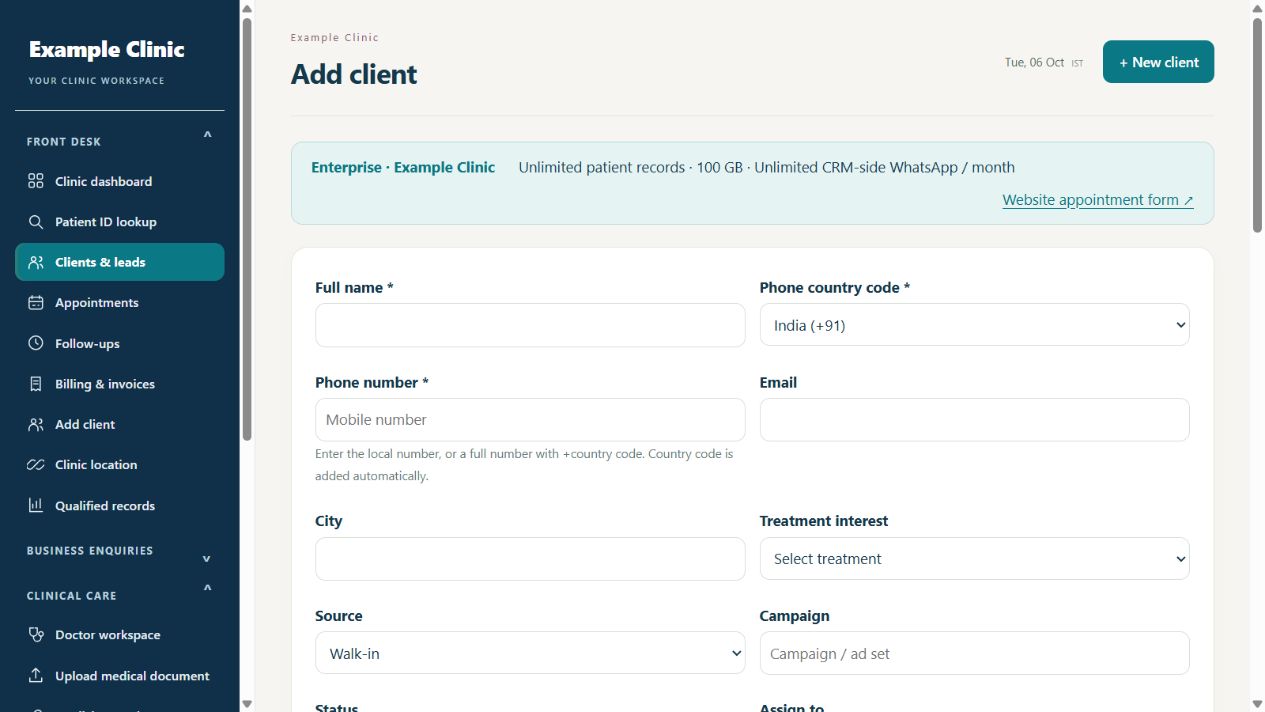
Step by step
- Open the clinic patient or enquiry list and search the phone number or patient name first.
- If no matching record exists, use the available add/new form.
- Enter the required patient and contact details, clinic location and responsible staff where available.
- Save, reopen the record and check that the details are correct.
- Continue with an appointment or clinical consultation from the appropriate patient workflow.
Keep in mind
Patient and enquiry labels can differ across specialty workflows. Search before creating a second record. Use only the patient information your practice needs.
Related guides
Patients & care
Review a patient profile and history
Use the patient record to follow previous care.
Read guide →Appointments & follow-upsBook and manage an appointment
Check patient, clinician, location and time before saving.
Read guide →Billing & reportsImport or export clinic data
Prepare a small sample before importing a large list.
Read guide →Still need help?
Send your clinic code and the exact issue. Keep passwords and patient information private.
Request setup help · Free All guides