Cosmetic surgery · nose planning locations
Select Cosmetic surgery · nose planning locations and document clinician findings with explicit location notes.
Chart example
These previews show the actual original templates available in Rapivexa. Choose a suitable chart for your specialty; record patient side and view in the notes.
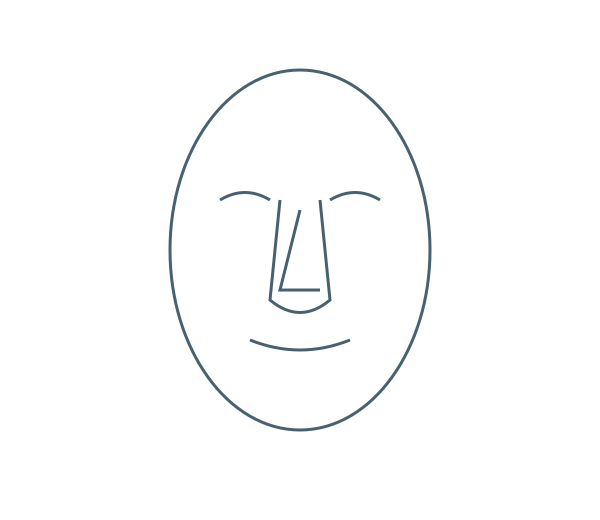
Step by step
- Open your purchased clinic → Clinical care → Doctor workspace → choose patient → Write prescription. Select the consultation specialty. Suggested departments: Skin, Surgery. Charts are available across specialties.
- In Consultation, go to Visual charts & annotations. Search the chart cards for Cosmetic surgery · nose planning locations, then choose Add chart.
- Choose Pen, Arrow, Circle or Numbered marker and a colour. Drag to draw; tap to place a numbered marker. Use Undo last mark to correct a mark.
- Choose chart view and affected patient side, then add clinician notes to explain each mark. This schematic records locations; it does not establish an anatomical diagnosis.
- Use Findings / orientation / numbered-marker notes to explain the marks. Keep Include this chart on the printed prescription checked for print, or uncheck for clinical-record-only storage.
- Review the prescription and tick clinician review, then Save & preview prescription. Confirm the chart and notes before printing. New visits start blank; Copy previous prescription for review explicitly loads the previous medicines, history and diagrams for review. The old record stays unchanged.
Keep in mind
Original schematic location chart; not an anatomically validated diagnostic illustration. Use up to 3 charts per prescription and 60 marks per chart. Other departments may use a suitable chart, but there is no dedicated diagram for every specialty.
Related guides
Add visual charts to a prescription
Select a location chart, mark findings and choose whether to print it.
Read guide →Patients & carePrescription writing: complete OPD and revisit guide
A practical guide for reception and doctors: record vitals, write a fast mobile prescription, reuse personal templates, review medicine changes, recover drafts and print.
Read guide →Patients & careReview a patient profile and history
Use the patient record to follow previous care.
Read guide →Still need help?
Send your clinic code and the exact issue. Keep passwords and patient information private.
Request setup help · Free All guides