Add doctors and receptionists
Give every team member their own clinic access.
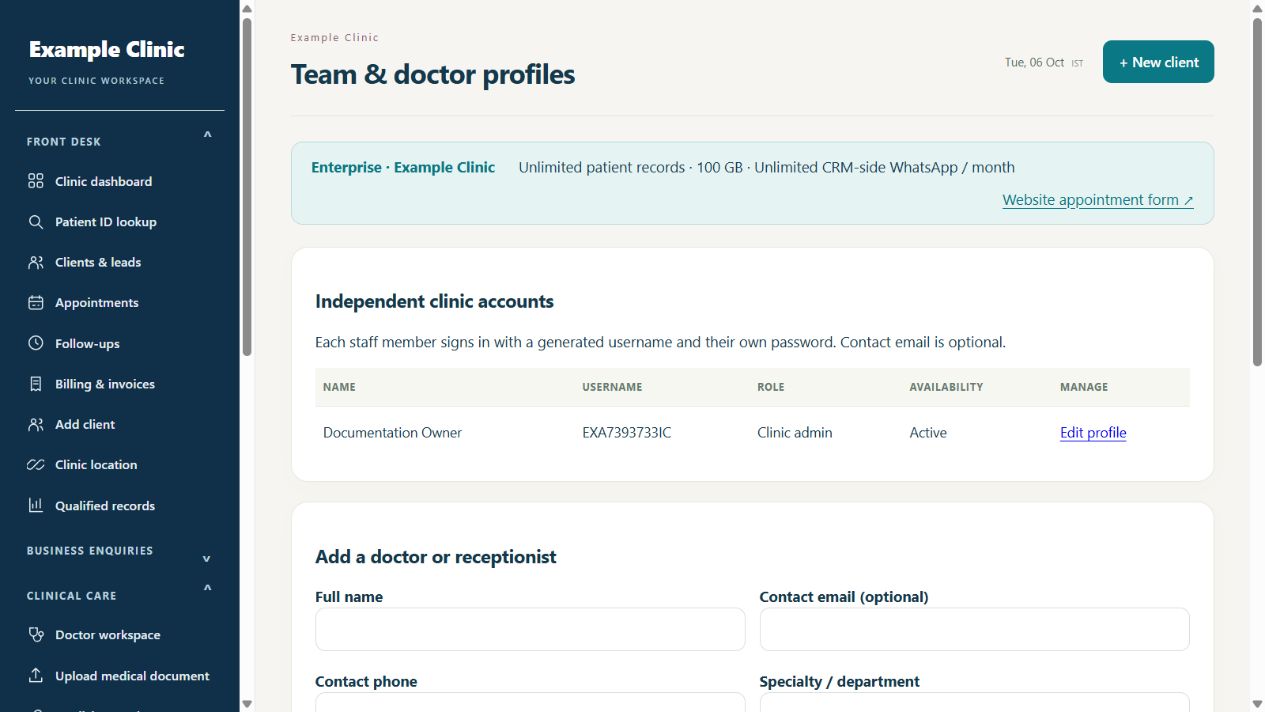
Step by step
- Sign in as clinic admin and open Team profiles.
- Choose Add a doctor or receptionist and select the correct role.
- Enter the staff profile, select the permitted clinic locations, and set a unique password of at least 14 characters.
- Save the account and note the automatically generated username: doctors use DR and receptionists use RR with their own number.
- Give the staff member the clinic link and credentials privately; ask them to sign in with their own account.
Keep in mind
The plan staff allowance includes the clinic admin. Access is limited by role, assigned locations and subscription features. Do not share the clinic admin login with the whole team.
Related guides
Clinic & team
Change a staff password or update access
Keep staff credentials and location assignments current.
Read guide →Clinic & teamManage locations and branch access
Assign staff only to the locations they need.
Read guide →Clinic & teamWhy is a feature or record unavailable?
Check role, location and plan permissions first.
Read guide →Still need help?
Send your clinic code and the exact issue. Keep passwords and patient information private.
Request setup help · Free All guides