Choose the Cosmetic / Aesthetic theme
Give your clinic a warm cosmetic workspace appearance.
Step by step
- A clinic admin opens Administration → Clinic settings → Clinic appearance.
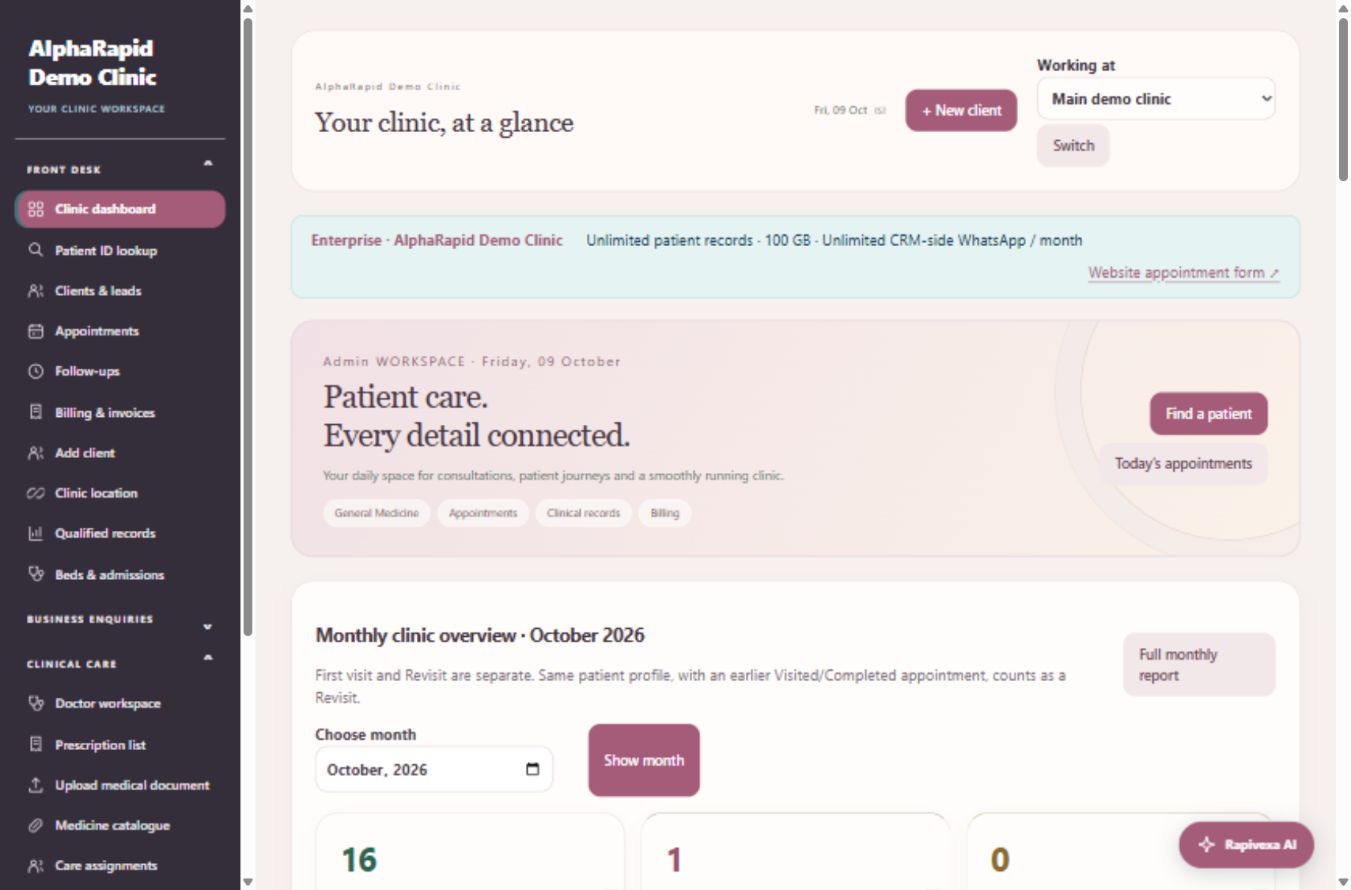
- Select Cosmetic / Aesthetic and press Save clinic theme. The clinic workspace uses plum navigation, warm surfaces, softer cards and serif page headings.
- Open the dashboard, patient pages and prescription editor to view the selected theme. It applies to this clinic’s staff workspace, including mobile layouts.
- To return to the original appearance, choose Classic clinical and save.
Keep in mind
This changes presentation; it does not alter patients, clinical records, roles, billing totals or the public AlphaRapid website. Prescription printing continues to use your configured clinical letterhead.
Related guides
Clinic & team
Set up your clinic and personal profile
Keep practice contact and location details accurate.
Read guide →Clinic & teamWhy is a feature or record unavailable?
Check role, location and plan permissions first.
Read guide →Still need help?
Send your clinic code and the exact issue. Keep passwords and patient information private.
Request setup help · Free All guides